If you’ve ever sat in a network operations center (NOC) at 2 a.m., staring at a screen full of blinking lights and a bunch of random error messages, knowing something’s off but not sure what—you’ve probably wished for a way to just “ask” your core switch what’s going on. That’s where SNMP comes in, and as someone who sells core switches for a living, I can tell you it’s not just some tech jargon that sounds good on a spec sheet. It’s the backbone of making sure your network doesn’t turn into a chaotic mess when something goes sideways. Let’s break this down in plain terms, no stuffy engineer lectures, just what you actually need to know. Core Switch
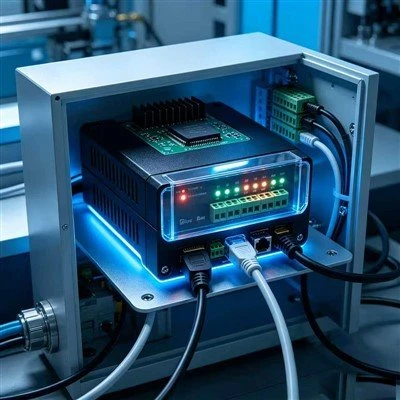
First, let’s get one thing straight: a core switch isn’t your average home router. If you’re running a business, school, or even a mid-sized office, the core switch is the central traffic hub. It’s the big, beefy box that all the other switches, servers, firewalls, and access points plug into. Every piece of data that moves across your network—emails, Zoom calls, file transfers, that random internal app your team uses—has to zip through the core switch at some point. So if that box glitches or slows down, your whole network grinds to a halt. No pressure, right? That’s why keeping tabs on it is non-negotiable.
Which is exactly where SNMP steps in. SNMP stands for Simple Network Management Protocol, and yes, the “simple” part is a little misleading because it’s super powerful. Think of it as a universal messenger between your core switch and all the tools you use to monitor your network. Here’s how it works, real quick: every core switch has a built-in SNMP agent (just a small piece of software) that’s always running in the background. That agent collects data about the switch’s performance, health, and connected devices—things like CPU usage, how much bandwidth it’s using, how many ports are working, if a cable is loose, or if a device isn’t responding. Then, it sends that data to an SNMP manager, which is usually a monitoring tool like SolarWinds, Zabbix, or even something built right into your NOC dashboard.
The best part? It’s standardized. No matter who made your core switch (whether it’s from us or another vendor), SNMP uses the same rules to talk. That means you don’t have to learn a whole new set of commands for every box you own. You set up the manager once, and it can pull data from all your switches, routers, firewalls, and whatever else is on your network. No more logging into 10 different devices to check the same basic stats—SNMP does it all for you.
Let me give you a real example. A while back, we had a customer who ran a 500-person call center. Their core switch started acting up mid-morning, and suddenly their support calls were dropping left and right. Their NOC team was scrambling, pinging the switch, logging in via SSH, trying to figure out what was wrong—they were spending 15 minutes just to confirm the switch’s CPU was maxed out from a rogue device downloading 10GB of data. If they had SNMP set up, their monitoring tool would’ve sent them an alert the second CPU hit 90% at 9:17 a.m. They would’ve seen which port that traffic was coming from, unplugged it, and fixed the problem before a single customer call dropped. That’s not just convenience—that’s saving thousands of dollars in downtime, not to mention keeping your team from pulling their hair out.
Now, I know what you’re thinking: “Is SNMP secure? I don’t want some random person snooping on my network.” That’s a totally valid question, and it’s one we preach about to every customer who buys a core switch from us. For years, people relied on SNMPv2c, which uses a “community string” as a password—think of it like a basic front door lock. It works, but it’s not super secure; if someone sniffs that string on your network, they can access your switch data. That’s why all modern core switches, including ours, support SNMPv3, which is the gold standard now. SNMPv3 adds authentication (so you know the data is actually coming from your switch, not a fake device) and encryption (so even if someone intercepts the data, they can’t read it). It’s like upgrading from a flimsy door lock to a deadbolt with a PIN code. We always make sure our customers have SNMPv3 configured properly when we set up their switches, because there’s no reason to leave your network wide open.
Here’s the thing about core switches specifically—they’re the heart of the network, so SNMP monitoring for them isn’t optional. For edge switches in your office that only handle 20 devices, you might not need super granular SNMP data, but the core switch? You need every detail. Let’s talk about what SNMP does for your core switch day-to-day:
First, performance monitoring. Your core switch is moving terabytes of data every hour, right? SNMP tracks how much bandwidth is being used on each port, which protocols are taking up the most space, and if there’s a bottleneck. Say your company just rolled out a new video conferencing tool—SNMP can tell you if the core switch is prioritizing Zoom traffic over random file transfers, which keeps your calls from lagging. No more guessing if the slow internet is your Wi-Fi or the core switch.
Then there’s fault detection. If a port on your core switch stops working, or a connected device drops offline, SNMP sends an alert right away. We once had a customer with a warehouse that had a wireless access point plugged into the core switch via a long cable. The cable got chewed by a forklift, and before anyone even noticed the Wi-Fi was down, SNMP sent an alert that the port’s link was down. The IT team ran over, swapped the cable, and the warehouse was back up in 5 minutes—no lost inventory counts, no frustrated workers. That’s the kind of small, SNMP-enabled win that keeps operations running smoothly.
Even capacity planning—something most IT teams put off until it’s too late. SNMP logs data over time, so you can see if your core switch’s bandwidth is growing 10% every quarter, or if CPU usage spikes every Monday morning when everyone logs into their workstations. That means you can plan ahead: order a new core switch before your current one can’t handle the holiday traffic, or upgrade your ports before you start losing connection during busy times. No more panic buying a switch at 9 p.m. because your current one died.
I’ve talked to a lot of IT managers who say, “Our core switch works fine without SNMP, why bother?” Let me put it this way: when your car’s check engine light comes on, you don’t ignore it, right? SNMP is that check engine light for your core switch. It catches small problems before they become big, expensive ones. And as a core switch supplier, I can tell you that the biggest headaches we deal with are customers who waited too long to monitor their core switches—switches that crashed, lost data, caused days of downtime, all because they didn’t set up SNMP.
Now, let’s clear up a common myth: SNMP isn’t just for big enterprises. If you’re a 50-person business, a 200-person school, or a small hospital, your core switch is still the most important device on your network, and SNMP works for you too. You don’t need a $100k NOC tool—there are free or low-cost SNMP managers that work great for small teams, and every core switch we sell comes pre-configured with basic SNMP settings, plus a step-by-step guide to set up monitoring in an hour. No fancy degree required.
The other myth is that SNMP is only for tech people. Once it’s set up, it’s mostly hands-off. The monitoring tool runs in the background, sends you alerts only when something is wrong, and stores data so you can look at trends later. You don’t have to log into your core switch every day to check stats—SNMP does it for you.
Here’s the kicker: if you’re in the market for a new core switch (and let’s be real, if your current one is 5+ years old, it’s probably time), don’t just look at specs like port count or speed. Ask about SNMP support. Make sure it’s SNMPv3 compliant, make sure the vendor has documentation on setting it up, and make sure they’ll help you if you run into issues. Because a core switch is only as good as your ability to monitor it.
At the end of the day, SNMP is all about peace of mind. It’s knowing that if something goes wrong with your core switch, you’ll get a heads up before your whole network goes down. It’s not some overcomplicated tech toy—it’s a tool that keeps businesses running, teams productive, and IT managers from losing sleep over network outages.

If you’re ready to upgrade your core switch or set up SNMP monitoring for your current one, we’re here to help. Whether you’re a small team just getting started with core switches or a big enterprise needing custom SNMP configurations for your entire network, our team can walk you through every step. Don’t wait until a small problem turns into a costly outage—reach out to us to talk about your core switch and SNMP needs today.
Industrial Edge AI Controller References
- "Simple Network Management Protocol (SNMP) Overview," Internet Engineering Task Force (IETF), RFC 1157, 1990.
- "SNMPv3: Security Model and Transport Mapping," Internet Engineering Task Force (IETF), RFC 3411, 2002.
- Cisco Core Switch Design Guide, Cisco Systems, Inc., 2023.
- "Best Practices for SNMP Monitoring," Network Computing, TechTarget, 2022.
Liaoning Yifang Wisdom Technology Group Co., Ltd.
Liaoning Yifang Wisdom Technology Group Co., Ltd. is one of the most professional core switch manufacturers and suppliers in China, also supports customized service. We warmly welcome you to wholesale the newest core switch in stock here from our factory. If you have any enquiry about quotation, please feel free to email us.
Address: Minmetals Corporation Building Yingkou Liaoning China
E-mail: LN-YF@hotmail.com
WebSite: https://www.yifangwisdom.com/
