Hey everyone, it’s Jake from the CNC turning shop. Lately, I’ve been swamped with calls from new clients panicking because their CNC lathes are acting weird—parts are coming out off-size, the machine’s making a weird squeal mid-cycle, or worse, it’s throwing a random error code and shutting down. Look, I get it—when you’re relying on CNC turning parts for production, even a 10-minute hiccup can throw your whole schedule off. I’ve been troubleshooting these issues for years, and I’ve seen every trick in the book work (and a few that don’t). Let’s break down the most common CNC turning headaches, how to fix ’em fast, and what to do if it’s way bigger than a quick tweak. CNC Turning
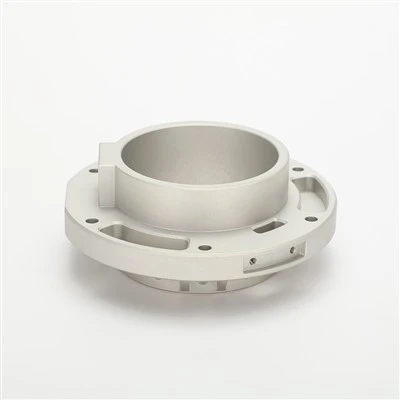
First, let’s start with the most annoying one: parts that are just… wrong size. Like, you set the program to turn a 1-inch diameter, but it’s spitting out 0.985 inches. No fun, especially if you’re cranking out 100 of these a day. 9 times out of 10, this isn’t the machine’s fault—it’s a tiny, stupid thing we overlook all the time. First, check your tool offset. Yeah, I know, you probably just did a dry run, but let me tell you: thermal expansion is a sneaky bastard. If your machine’s been running for 2 hours straight, the spindle and tool holder heat up, and that 0.005-inch offset you set cold? It’ll shrink when it’s hot, leading to undersized parts. The fix? Run a test cut with the machine at operating temp—like, run 2-3 scrap parts first—and adjust the offset while everything’s warm. Trust me, I used to skip this and end up scrapping whole batches until a veteran machinist yelled at me for it.
Another culprit here: tool wear. If your insert’s been in there for a week straight without changing, it’s gonna dull, and when it dulls, it pushes the part slightly away from the tool, making the diameter bigger or smaller. Don’t just go by the hours on the tool counter—check the surface finish. If your parts used to have that smooth, shiny cut and now they look scratched or grainy, swap the insert. Also, make sure you’re torquing the tool holder right. I’ve seen guys tighten a tool with a wrench, then drop a part and knock it loose—half-assed tool installation is the #1 hidden cause of size drift.
Next up: that weird, high-pitched squeal during the cut. My first time hearing that, I thought the spindle was gonna explode. Turns out, most of the time it’s chatter. Chatter is those annoying vibration marks on the part surface, and it’s so common it’s basically the plague of CNC turning. Let’s keep this simple: three main causes, three quick fixes. First, your cutting parameters—too high a spindle speed or too deep a cut will make the tool vibrate like a tuning fork. Try bumping the speed down 200 RPM or reducing the feed rate a tiny bit. Second, tool overhang. If your tool’s sticking way out of the holder (like, more than 3x its diameter), it’s gonna flex. I once had a client who was using a 1/2-inch tool sticking out 2 inches—swap to a shorter tool and that squeal’s gone in 2 seconds. Third, maybe you’re using the wrong insert grade. If you’re cutting stainless steel with a general-purpose insert, it’s gonna chatter like crazy. Match the insert to the material—serrated inserts for tough metals, sharp ones for aluminum, that kinda thing. I keep a cheat sheet taped to the control panel for this exact reason.
Now, the scary stuff: the machine throws an error code and won’t run. Let’s be real—error codes are the worst because most of ’em are super vague. I once got a “axis out of range” code that had me checking the entire servo drive before I realized the door wasn’t latched all the way. Yeah, the safety interlock is a pain, but it’s there for a reason—make sure the machine door is fully shut and the safety switch clicked. Another common error: coolant pressure low. If your coolant pump’s clogged with chips, it’ll shut down the spindle because overheating is a big no-no. Unclip the coolant hose and blow it out with compressed air every few weeks—small maintenance that stops big errors. And for the love of all things metal, don’t ignore the error code text on the screen. Yeah, some are generic, but most will say things like “Z axis limit” or “spindle overload” and that’s half the battle right there.
Wait, let’s talk about something that trips up new operators especially: workholding issues. If your part is slipping in the chuck, you’ll get weird size variations or even parts flying off (yikes). First, check the chuck jaws—are they dirty? Oil or metal shavings on the jaw surface make grip terrible. Wipe ’em down with a rag and a little degreaser. If the jaws are worn down, that’s a problem too—regular jaw replacement isn’t optional, it’s maintenance. And for soft jaws? Make sure you’re truing them every time you set a new part. I had a client once who didn’t true soft jaws, so each part was being held at a slightly off angle, leading to a runout that made the whole batch useless. Took him 3 days to figure that out—don’t be that guy.
Now, let’s cover when to stop messing with it and call for help. I know, a lot of us machinists hate asking for assistance, but there’s a line. If you’ve checked offsets, tools, workholding, coolant, and the error code is still not making sense? That’s when to reach out. Maybe it’s a servo motor issue or a drive board glitch—stuff that’s not fixable with a quick tweak. And before you call, write down everything you did in the last shift: what parts you ran, what tools you used, any weird noises or errors you noticed earlier. That cuts troubleshooting time in half because we don’t have to guess what changed.
One last thing: small daily checks prevent 90% of these issues. I do a 5-minute walkaround every morning before the first part runs. Check coolant level, clean the chuck jaws, inspect inserts for chips or wear, make sure the toolholder is tight. It’s way easier than scrapping a batch of parts or waiting 2 days for a repair. Look, CNC turning isn’t rocket science, but it’s finicky. The key is not panicking when something goes wrong—systematically work through the easy stuff first, not the complicated machine parts.

If you’re dealing with a persistent issue that you can’t figure out, or you’re looking to upgrade your CNC turning parts supply (hint hint), hit us up to chat. We’ve fixed more of these little headaches than I can count, and we can help you get back to production fast. No call centers, no confusing jargon—just actual machinists who know this stuff inside and out.
CNC Turning References:
- Brown, J. CNC Turning Troubleshooting: A Practical Guide. Industrial Press, 2021.
- Smith, A. Common Machining Errors and Preventive Maintenance. Metalworking Monthly, vol. 45, no. 2, 2022, pp. 18-22.
- CNC Machine Tools Association. Operator’s Quick Troubleshooting Manual, 2023.
Zhejiang Hayi Technology Co., Ltd.
With abundant experience, we are one of the most professional CNC turning manufacturers in China. We warmly welcome you to wholesale bulk CNC turning in stock here and get quotation from our factory. All customized products are with high quality and competitive price.
Address: Room 112, 1st Floor, No. 103, Siwangdai, Pingzhai Village, Renhe Subdistrict, Yuhang District, Hangzhou City, Zhejiang Province
E-mail: 18368133797@163.com
WebSite: https://www.zhejianghayi.com/
